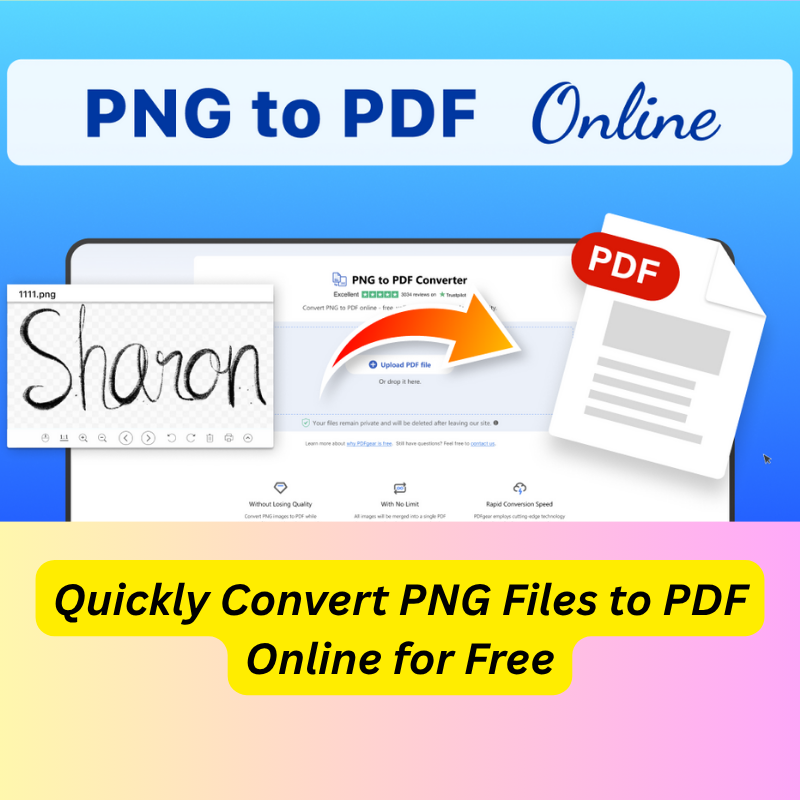
Why Do You Need to Convert PNG Files to PDF?
Before diving into the “how,” it’s important to understand why PNG-to-PDF conversion matters.
1. PDF is universally accepted
Many websites, institutions, and applications require PDFs, not images. Whether you are submitting documents, printing forms, or sending files, PDF is the most widely supported digital document format.
2. Better organization
If you have multiple PNG images—screenshots, photos, scanned pages—you can merge them into one PDF instead of sharing multiple separate files.
3. Professional presentation
A PDF looks more professional.
When sending:
- assignments
- resumes
- business proposals
- scanned documents
- PDF ensures everything appears in the correct order and layout.
4. Reduced file handling issues
PNG images sometimes:
- don’t upload correctly
- appear stretched
- lose quality
- But PDFs remain stable and consistent across all devices.
Why Convert PNG to PDF Online?
Speed
Online converters work instantly. No installation, no setup.
Accessibility
Works on:
- Windows
- Mac
- Android
- iPhone
- Tablets
- Chromebooks
- Any device with a browser
No Storage Required
You don’t need to download software or keep heavy tools on your device.
Perfect for quick tasks
Sometimes you only need to convert one or two images. An online tool is the fastest way.
Why pdftools4you.com Is the Best Tool for PNG to PDF Conversion
Among all online converters, pdftools4you.com stands out because it is built for simplicity, speed, and user satisfaction.
✅ 100% Free — No Hidden Fees
Many websites claim to be free but eventually ask for payment.
pdftools4you.com is entirely free for all PNG-to-PDF conversions.
✅ No Registration Required
No signup.
No email entry.
No login.
You simply visit the website and start converting.
✅ Fast Processing
PNG files convert to PDF in seconds, even with large images.
✅ Device-Friendly
Works equally well on mobile, tablets, and computers.
✅ Clean, Simple Interface
No confusing options. No ads that slow the page. Just a clean interface.
✅ High-Quality Output
The tool maintains the clarity of your PNG images inside the PDF.
✅ Automatic File Handling
Uploads and downloads are fast, secure, and temporary.
🏆 Best choice for everyday users who want fast, clean, and free conversions.
How to Convert PNG Files to PDF Online for Free Using pdftools4you.com
This is one of the fastest online conversion workflows available.
Step 1: Visit pdftools4you.com
Open your browser and go to:
👉 pdftools4you.com
Navigate to the PNG to PDF tool.
Step 2: Upload Your PNG Image(s)
Click Upload or Choose File
Then select the PNG files you want to convert.
You can upload:
- one PNG
- multiple PNG files
- large images from your camera
- screenshots
- scanned documents
The converter supports all PNG formats.
Step 3: Start the Conversion
Click Convert.
The tool will instantly process your images and structure them into a PDF.
No delays. No pop-ups. No email verification.
Step 4: Download Your PDF
Once the conversion is complete, click Download.
Your new PDF file will be ready immediately.
You now have a clean, professional document created from your PNG image(s).
Frequently Asked Questions
These questions come from real Google searches and high-volume long-tail keywords.
1. Is PNG-to-PDF conversion really free on pdftools4you.com?
Yes.
There are no hidden charges, no premium version, and no limits.
2. Do I need to create an account?
No.
The service works without registration.
3. Can I convert multiple PNG images into one PDF file?
Yes.
You can upload several PNG files and combine them into a single PDF document.
4. Will the quality of my PNG images be preserved?
Absolutely.
The converter keeps image quality clear and sharp.
5. Does this work on mobile phones?
Yes.
The tool works perfectly on iPhone, Android, Samsung, iPad, and any mobile browser.
6. Are my uploaded files safe?
Yes.
Files are processed temporarily and not stored long-term.
7. Do I need to install anything?
No installation is required.
Everything is done online.
8. Can I convert scanned PNG documents?
Yes.
Scanned pages are converted to PDF just like camera images.
Tips to Get the Best Results When Converting PNG to PDF
1. Use high-resolution PNG images
Higher quality images create sharper PDF documents.
2. Upload images in the correct order
If combining several PNGs, rename them or upload in sequence.
3. Avoid blurry images
Blurriness in the PNG will appear in the PDF.
4. Use stable internet
Ensures faster upload and conversion.
Who Can Benefit From PNG-to-PDF Conversion?
Students
Submitting assignments, scans, or handwritten pages.
Business Users
Merging receipts, invoices, or photos into a professional PDF.
Designers / Creators
Sharing snapshots and mockups as a PDF.
Office Workers
Converting screenshots or slides into easy-to-send PDFs.
General Users
Anyone who needs a simple, free, fast converter.
Why pdftools4you.com Is Better Than Other Online Converters
- No ads slowing down the page
- No login or email required
- No paid upgrades
- Cleanest interface
- Fastest conversion speed
- Works on all devices
- Unlimited conversions
- High-quality results every time
This makes pdftools4you.com the most efficient online PNG-to-PDF converter.
Conclusion
If you’re looking for the fastest, easiest, and completely free way to convert your PNG files to PDF online, the answer is simple:
👉 Use pdftools4you.com
With no registration, no fees, no complicated steps, and no quality loss, it’s the perfect tool for anyone who needs quick PNG-to-PDF conversion.
Whether you’re converting one image or dozens, pdftools4you.com gives you a clean, professional PDF in minutes—every time.
Comments (0)
Leave a Comment
No comments yet. Be the first to comment!