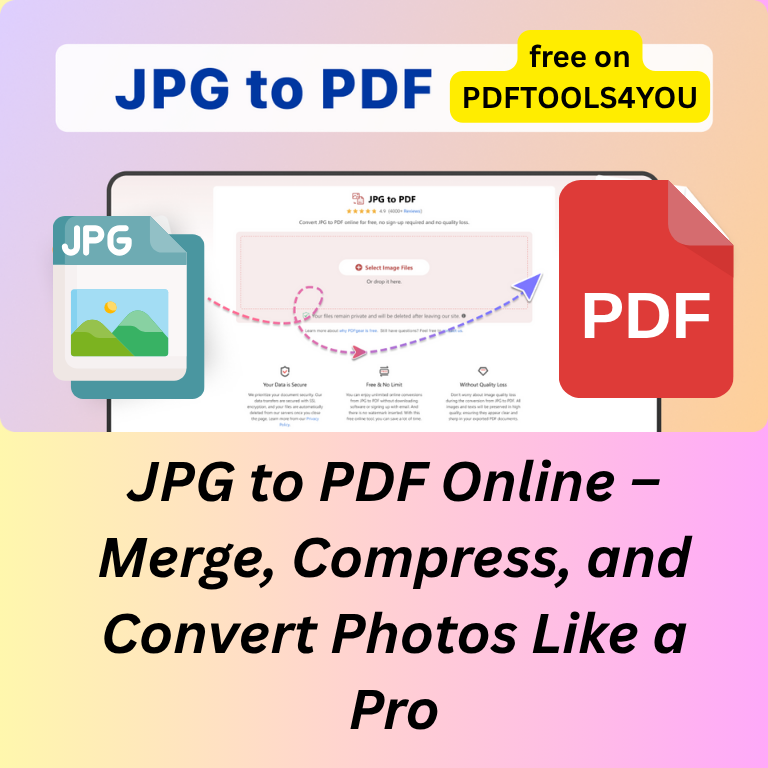
Introduction
In today’s digital-first world, managing images and documents efficiently is a must. Whether you’re a student organizing class notes, a designer compiling artwork, or a professional creating business reports, you’ve probably faced a common issue — how to convert multiple JPG images into one clean, shareable PDF file.
The solution? A reliable, fast, and high-quality JPG to PDF converter that merges, compresses, and transforms your images effortlessly — and without unnecessary steps like registration or software installation.
That’s exactly what PDFTOOLS4YOU.COM offers.
With PDFTOOLS4YOU.COM, you can easily merge multiple photos, compress them to save space, and convert them into a single professional-grade PDF file — 100% free and with no sign-up required.
In this comprehensive guide, you’ll learn:
- What JPG to PDF conversion is and why it matters
- How to merge, compress, and convert photos like a pro
- Why PDFTOOLS4YOU.COM is your best option for this task
- Step-by-step instructions on how to use it
- Expert tips for creating perfect PDF files
- Answers to common user questions
Let’s get started.
What Is JPG to PDF Conversion?
At its core, JPG to PDF conversion means turning one or multiple image files (JPG or JPEG format) into a PDF (Portable Document Format) — a file type that preserves layout, quality, and compatibility across devices.
PDFs are universally recognized, print-friendly, and secure, making them ideal for sharing or archiving. When you convert JPG images to PDF, you combine the flexibility of images with the professional look and reliability of documents.
Why It’s Useful:
- Maintain image quality while improving chargeability
- Combine multiple photos into one organized document
- Create photo books, portfolios, invoices, or certificates
- Save storage space by compressing multiple large images into one file
Whether it’s for personal, educational, or business use, JPG to PDF conversion helps you organize and present visual content more effectively.
Why Merge, Compress, and Convert Photos?
You might ask — why go through the process of merging and compressing photos before converting them? Here’s why it matters.
1. Merge: Create a Unified File
When you merge images into a single PDF, you create a structured document that’s easier to store, send, and print. Instead of attaching multiple JPGs, you send one professional PDF — clean, simple, and elegant.
Perfect for:
- Submitting school projects
- Sharing scanned documents
- Creating portfolios or digital albums
- Organizing receipts or reports
2. Compress: Reduce File Size Without Losing Quality
Large image files can be a problem — they take longer to upload, email, or store. Compression reduces the file size while maintaining sharpness and clarity. PDFTOOLS4YOU.COM does this automatically during conversion to ensure fast sharing without pixilation or distortion.
3. Convert: Make Files Universal
Once your JPGs are converted to a PDF, they become universally accessible — viewable on any device without additional software. This is especially helpful for professional use, where consistency and format stability are key.
In short, merging and compressing before conversion allows you to create compact, clean, and universally compatible PDF documents — perfect for digital communication in 2025 and beyond.
How to Use [PDFTOOLS4YOU.COM] for JPG to PDF Conversion
One of the best things about PDFTOOLS4YOU.COM is its simplicity. You don’t need to install anything, register, or even provide an email address. It’s as easy as drag, drop, and download.
Here’s how to do it:
Step 1: Visit the Website
Open your browser and go to PDFTOOLS4YOU.COM. On the homepage, click on “JPG to PDF” — it’s clearly visible among the main tools.
Step 2: Upload Your Images
Click “Select Files” or drag and drop your JPGs directly into the upload area. You can add one or multiple images — the system supports batch uploads for quick processing.
Step 3: Arrange Your Images
Once uploaded, you can reorder your photos if needed. The sequence determines the order in which images appear in the final PDF. Drag them to adjust placement before conversion.
Step 4: Click “Convert to PDF”
When your files are ready, click the Convert button. PDFTOOLS4YOU.COM will instantly merge and convert your images into a high-quality PDF file.
Step 5: Download Your File
Once the conversion finishes (usually in seconds), click Download PDF. Your file is now ready to be shared, printed, or archived — beautifully formatted and perfectly aligned.
Optional Step: Compress (Automatically Done)
All conversions on PDFTOOLS4YOU.COM are optimized for file size, meaning your PDF will be lightweight but high-quality — ready for instant sharing on email or cloud platforms.
Benefits of Using [PDFTOOLS4YOU.COM] Over Competitors
With so many online tools out there, what makes PDFTOOLS4YOU.COM stand out? The difference lies in its speed, simplicity, and transparency.
Here’s why it’s the best JPG to PDF converter available in 2025:
1. 100% Free and No Sign-Up Required
No registration. No paywalls. No “premium” restrictions. PDFTOOLS4YOU.COM offers full functionality for free, with no hidden fees — unlike many competitors that limit free conversions.
2. Lightning-Fast Conversion
Time is valuable. PDFTOOLS4YOU.COM processes even large image sets in seconds, thanks to its high-performance cloud infrastructure. You can upload, merge, and convert multiple JPGs into PDF in one click.
3. Perfect Formatting and Image Quality
Every converted file maintains:
- Sharp resolution
- Correct image proportions
- True color accuracy
- Clean alignment
Whether it’s scanned documents or high-definition photos, the final PDF looks professional and print-ready.
4. Privacy and Security Guaranteed
Your files are transferred securely via encrypted HTTPS connections, and all uploaded data is automatically deleted after processing. You can use the site with total confidence.
5. Works on Any Device
No software installation or browser limitations. PDFTOOLS4YOU.COM works perfectly on:
- Windows
- macOS
- Android
- iOS
- Linux
Whether on desktop or mobile, the interface adapts for a seamless experience.
6. Batch and Bulk Conversion
Convert dozens of images at once — ideal for large projects, reports, or portfolios. The site merges all JPGs automatically in the correct order into a single PDF.
7. No Watermarks or Branding
Your converted PDFs are 100% clean — no watermarks, ads, or logos. The output belongs entirely to you.
8. Smart Compression for Sharper Results
Unlike other tools that over-compress and reduce quality, PDFTOOLS4YOU.COM applies intelligent compression, striking the perfect balance between file size and clarity.
9. Completely Browser-Based
Everything happens online — no apps, no downloads, and no storage required. All you need is a browser and an internet connection.
10. Continuous Updates
The platform is constantly updated to support new devices, image types, and faster performance, making it the most advanced JPG-to-PDF tool you can use for free.
Pro Tips: How to Get the Best PDF Results
Even with an excellent converter like PDFTOOLS4YOU.COM, you can enhance your results with these simple but powerful tips:
1. Use High-Quality Images
The better your JPG resolution, the sharper your PDF will look. Avoid blurry or heavily compressed photos when possible.
2. Maintain Uniform Dimensions
If your images are different sizes, crop or resize them before upload for a more consistent-looking PDF.
3. Adjust Image Orientation
Rotate landscape photos correctly before uploading. PDFTOOLS4YOU.COM preserves the orientation you upload, so align them beforehand for a clean layout.
4. Reorder Smartly
If you’re merging multiple photos (e.g., receipts or scanned pages), arrange them in the correct order before converting to ensure a logical flow in your final PDF.
5. Check Preview
Once you download the converted PDF, quickly preview it to confirm everything is aligned perfectly. Then, you can safely send or print it.
Common Questions About JPG to PDF Conversion
Here are answers to the most frequently asked questions from users worldwide:
Q1: Is PDFTOOLS4YOU.COM really free to use?
Yes! You can use it as much as you like — no registration, no limits, no hidden charges.
Q2: Will my image quality decrease after conversion?
No. PDFTOOLS4YOU.COM maintains high-resolution output. The smart compression engine ensures clarity and balance between quality and file size.
Q3: Can I convert multiple JPGs into one PDF file?
Absolutely. The site supports batch uploads and merging into a single, organized PDF file automatically.
Q4: Is it safe to upload my photos?
Yes. All file transfers are SSL-encrypted, and files are deleted automatically after conversion to protect your privacy.
Q5: Does it work on mobile?
Yes! The converter works perfectly on smartphones and tablets — just open it in your mobile browser and follow the same simple steps.
Q6: Can I convert other file types too?
Yes! PDFTOOLS4YOU.COM also supports Word to PDF, Excel to PDF, PDF to JPG, PDF to HTML, and more. It’s an all-in-one platform for all your document conversion needs.
Q7: How long does conversion take?
Usually less than 10 seconds, even for multiple photos. The platform is optimized for speed and simplicity.
Q8: Are there any watermarks or logos on my PDFs?
No. The output files are 100% clean — no branding or watermarks added.
Q9: Can I compress or reduce PDF file size further?
Yes. PDFTOOLS4YOU.COM automatically compresses during conversion, but you can use its PDF compressor tool afterward if you want an even smaller file size.
Q10: What formats does the converter support?
It supports JPG, JPEG, and PNG files, with PDF as the output. Future updates will expand compatibility further.
Conclusion
In a world where digital organization and visual presentation are crucial, the ability to merge, compress, and convert JPGs to PDF effortlessly is a must-have skill.
With PDFTOOLS4YOU.COM, you can do all that — instantly, securely, and completely free of charge. No sign-ups, no downloads, no watermarks — just simple, fast, and professional-grade results.
Whether you’re compiling receipts, creating a photo portfolio, or preparing digital documents, this tool is your one-stop solution for reliable, high-quality file conversion.
Next time you need to combine or convert images, skip complicated software — just visit PDFTOOLS4YOU.COM and convert like a pro.
Comments (0)
Leave a Comment
No comments yet. Be the first to comment!